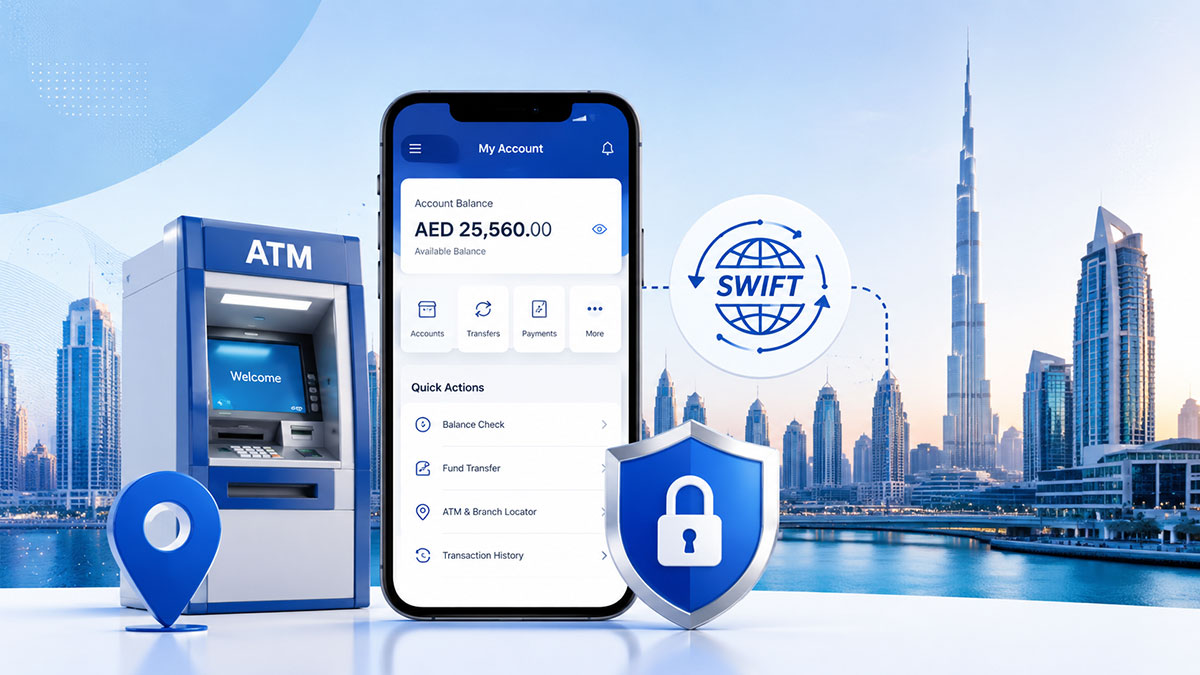
Checking your Dubai Islamic Bank balance is straightforward when you use an official channel. For a dib balance check, choose the DIB alt mobile app, DIB alt online banking, a DIB ATM or DIB Phone Banking. The app and online banking are useful for everyday access; an ATM or phone banking can help when you do not have internet access. DIB WhatsApp Banking is not an active option: the bank says it was discontinued on 28 April 2026.
Quick Answer: The fastest ways to check your DIB balance are the [DIB alt mobile app](https://www.dib.ae/html/dibmobileapp.html) and [DIB alt online banking](https://www.dib.ae/alt/banking-on-the-go/online-banking). You can also use a DIB ATM or call DIB Phone Banking on 04 609 2222 inside the UAE, or +971 4 609 2222 in international format. Use only official DIB channels and never share your OTP or PIN.
Security warning: DIB will not need you to disclose your OTP, card PIN, T-PIN, password or full card details to receive help. Start online banking from the official DIB website or use the official app rather than links in unexpected SMS messages or emails.
DIB Balance Check: Quick Answer
You have four current official methods for a Dubai Islamic Bank balance check:
- DIB alt mobile: Log in through the official mobile app and review the relevant account or card information.
- DIB alt online: Visit the official online banking page and use Quick Login with Card & PIN, followed by the OTP sent to your registered mobile number.
- DIB ATM: Insert your card, enter your PIN and select Balance Inquiry.
- DIB Phone Banking: Call 04 609 2222 or +971 4 609 2222 and complete the bank’s verification process.
The available balance shown can depend on pending transactions, holds and the particular account or card product. If the displayed amount seems unusual, check recent transactions and contact DIB through an official channel.
How to Check DIB Balance in the DIB alt Mobile App
The DIB alt app is generally the most convenient option for customers who regularly use mobile banking. Use the official DIB app obtained through a legitimate app store and avoid unofficial download links.
What you need before you start
Before beginning a DIB mobile balance check, make sure you have:
- The official DIB alt mobile app installed on your device.
- Your registered mobile-banking access details.
- Access to the mobile number registered with DIB if an OTP or additional verification is requested.
- A secure internet connection and an updated device operating system where possible.
Do not enter your banking credentials into a page opened from an unsolicited message. If the app behaves unexpectedly, close it and obtain support through DIB’s official website or phone banking.
Step-by-step DIB mobile balance check
- Open the official DIB alt mobile app.
- Sign in using your registered access details and complete any security verification requested by DIB.
- Open the account, card or dashboard area shown after login.
- Select the relevant account or card to view the balance and available information.
- Review recent transactions if the balance is different from what you expected.
- Log out or lock the app when you finish, especially if you are using a shared device.
Menu labels can change as the bank updates its app. Follow the current on-screen instructions rather than relying on screenshots from older guides.
How to Check DIB Balance Online
DIB alt online banking is useful when you prefer a browser or cannot use the mobile app. Go directly to [online.dib.ae](https://online.dib.ae/) or reach online banking through the official [DIB online banking page](https://www.dib.ae/alt/banking-on-the-go/online-banking).
DIB alt Online Quick Login
The current Quick Login route specified by DIB is designed for card-based access:
- Open the official DIB online banking page.
- Select Quick Login.
- Choose Card & PIN when that option is displayed.
- Enter the requested card and PIN information only on the genuine DIB login page.
- Enter the OTP sent to your registered mobile number when prompted.
- Complete the sign-in process and wait for the account information to load.
Never provide an OTP to a caller, chat operator or person claiming to represent the bank. If you are unsure whether a page is genuine, close it and start again from the official DIB website.
Where to find your account balance after login
After signing in, look for the account overview, dashboard or account-listing area. Select the relevant current, savings or card account to review its displayed balance and recent activity. The exact labels may vary by account type and interface version, so do not assume that an older menu name still applies.
If the page does not load, avoid repeated guesses at your password or PIN. Use DIB’s official support route instead.
Check DIB Balance at an ATM
A DIB ATM can provide a practical balance enquiry without mobile data. DIB’s official ATM information lists account and credit-card balance enquiry among its services.
DIB ATM balance enquiry steps
- Use a DIB ATM in a suitable, secure location.
- Insert or tap your eligible card as instructed by the ATM.
- Enter your card PIN privately, shielding the keypad.
- Select Balance Inquiry or the equivalent current option.
- Choose the relevant account or card if the ATM asks you to do so.
- Read the displayed balance and take a receipt only if needed.
- End the session and remove your card before leaving.
Do not allow strangers to assist with your PIN or card. If an ATM retains your card or appears damaged, contact DIB using an official number rather than a number placed on a suspicious sticker.
Can you use a non-DIB ATM?
A non-DIB ATM may display different options and may apply network or service charges. Availability and fees can depend on the card, ATM network and current DIB Schedule of Charges. For the clearest DIB balance enquiry, use a DIB ATM where practical and verify current fees before relying on another network.
Check DIB Balance by Phone Banking
Phone Banking is useful when you cannot use the app or website, or when you prefer voice assistance.
DIB phone banking number and verification
Call 04 609 2222 within the UAE. The international-format number is +971 4 609 2222. Use the number published on DIB’s official [Phone Banking page](https://www.dib.ae/alt/banking-on-the-go/phone-banking), particularly before calling from outside the UAE.
- Call the official DIB Phone Banking number.
- Select the relevant language and service from the current telephone menu.
- Follow the prompts for balance information.
- Complete the requested customer verification.
- End the call if anyone asks for information that does not match the bank’s normal security process.
Using T-PIN or Voice ID
Depending on your access and DIB’s current verification process, Phone Banking may involve a T-PIN or Voice ID. Keep your T-PIN private and do not disclose it to another person. If you have forgotten a security credential, use the official recovery or support process rather than repeatedly guessing.
Can You Check DIB Balance on WhatsApp?
No. According to the supplied DIB update, WhatsApp Banking was discontinued on 28 April 2026. Do not follow older articles that instruct you to send “Hi” to a DIB WhatsApp number for a balance enquiry.
Use DIB alt mobile, DIB alt online, a DIB ATM or Phone Banking instead. Confirm the latest position on DIB’s [official WhatsApp Banking page](https://www.dib.ae/alt/banking-on-the-go/whatsapp-banking) before publication or whenever the service information changes.
Is There a DIB Balance Check SMS or USSD Code?
Do not rely on an SMS keyword, short code or USSD command unless DIB currently publishes the exact consumer balance-enquiry instructions on an official page. References to SMS banking or alerts do not, by themselves, confirm that a particular balance-check command is active.
For a verified balance, use one of the four methods in this guide. Avoid codes copied from social media, forums or outdated banking articles.
DIB E-Statement vs Live Balance Check
A [DIB e-statement](https://www.dib.ae/alt/banking-on-the-go/e-statement-facility) is useful for reviewing account history, statement periods and recorded transactions. It is not the preferred method for checking a live available balance.
Use the DIB app, online banking, ATM or Phone Banking when you need current account information. Compare an e-statement with the live balance when investigating a past payment, salary credit or transaction, but remember that pending items and later activity may affect the amount currently available.
App or online banking login problem
Check that you are using the official app or website and that your connection is stable. Update the app through a legitimate app store if an update is available. Do not keep entering incorrect credentials. If access remains unavailable, contact DIB through its official Phone Banking or support channels.
OTP not received
Confirm that your registered mobile number has signal and can receive messages. Wait briefly before requesting another OTP, and check whether your phone is filtering or blocking bank messages. Never disclose an OTP to anyone. If the number is no longer accessible, contact DIB through an official route to discuss the required verification process.
Card or ATM balance enquiry issue
Check that the card is inserted correctly and that you are using the correct PIN. Do not retry repeatedly if the ATM rejects the card. If the machine retains the card, record the ATM location and contact DIB using the official number.
A non-DIB ATM may have different services or charges. Try a DIB ATM or use Phone Banking instead.
Available balance looks lower than expected
Review recent transactions, pending card payments, cash withdrawals, transfers and any account holds shown in your digital banking channel. An e-statement can help investigate historical activity, but it does not replace a live balance check. If you still cannot reconcile the amount, ask DIB to review the account through a verified support channel.
Security reminder: Never share your OTP, PIN, T-PIN, password, Voice ID details or full card information. HowUAE does not collect banking credentials and is not a DIB login page.
Which Method Should I Use?
| Method | Internet needed | What you need | Best for | Notes |
|---|---|---|---|---|
| DIB alt mobile | Yes | Official app and registered access | Fast everyday checks | App menus may change |
| DIB alt online | Yes | Card & PIN plus OTP for Quick Login | Browser access | Start from the official DIB site |
| DIB ATM | No mobile data needed | Eligible card and PIN | An offline balance enquiry | Network services and fees may vary |
| Phone Banking | No mobile data needed | Phone access and verification | When the app or website is unavailable | Use 04 609 2222 or +971 4 609 2222 |
| E-statement | Usually yes | Registered digital access | Reviewing statement history | Not a live available-balance tool |
For comparison with other UAE salary-card options, see this independent [C3 Pay Card UAE balance guide](https://howuae.ae/c3-pay-card-uae-how-salary-cards-work-and-how-to-check-balance/). The services and requirements described here belong to DIB and should not be confused with ADIB or another bank.
Can I check my DIB balance without the app?
Yes. Use DIB alt online banking, a DIB ATM or Phone Banking. Select the method that matches your available device, internet access and verification details.
Can I check my DIB balance without internet?
Yes. A DIB ATM or Phone Banking can help when you do not have mobile data or Wi-Fi. You will still need the required card, PIN or telephone verification.
Does DIB WhatsApp Banking still work?
No. DIB WhatsApp Banking was discontinued on 28 April 2026. Do not use older WhatsApp instructions for a balance enquiry.
What is the DIB Phone Banking number?
Call 04 609 2222 inside the UAE. The international-format number is +971 4 609 2222. Verify the current number on DIB’s official Phone Banking page before calling.
Is there a DIB SMS or USSD balance-check code?
Do not use a code unless DIB currently publishes an exact consumer balance-enquiry command on an official source. This guide does not provide an unverified SMS keyword, short code or USSD command.
Can I check my DIB covered-card balance?
DIB’s official ATM information includes credit-card balance enquiry among its ATM services. Digital channels may also display card information depending on the product and your access. Sign in through an official channel or contact DIB for product-specific guidance.
Why is my DIB available balance different from my account balance?
Pending card transactions, holds, recent transfers or other account activity can affect the amount available to spend. Review the transaction details and contact DIB if the difference cannot be explained.
Is an e-statement the same as a live balance check?
No. An e-statement is primarily for reviewing statement history and transactions. Use the DIB app, online banking, ATM or Phone Banking for current balance information.
Choose the official DIB channel that suits your situation, and verify current menus, numbers and fees before acting. For sensitive banking information, use only the official DIB app, website or telephone number—not links or contact details from unverified messages.
Why This Guide Matters
- Clear destination planning for international visitors
- Hotel, dining, and transport context in one place
- Practical choices for first-time UAE itineraries
- Search-friendly structure for travel discovery